
Have you ever received a call from an unknown number and wondered who it belongs to? You are not alone. Millions of people every day search for ways to find out who is behind a phone number.
The good news is — there are safe, legal, and practical ways to check SIM owner details. The better news is — you do not need any special technical skills to do it.
In this guide, you will learn exactly what SIM owner details mean, what information is actually available, and how to find it without breaking any laws or risking your personal security.
What Are SIM Owner Details?
SIM owner details refer to the basic information linked to a mobile number or SIM card. Many people believe this means you can see someone’s full name, home address, or exact location. In reality, that is not how it works.
When you check SIM owner details, you can only see basic information — such as the network name, SIM status, and sometimes a general region. Private details like names, addresses, or ID numbers are protected by privacy laws.
No free tool can legally show personal data. Only official services provided by your mobile operator can verify SIM registration details.
So before you start searching, it is important to understand what you can and cannot access — and why those limits exist to protect everyone, including you.
Why Do People Check SIM Owner Details?
People have many legitimate and understandable reasons to look up a SIM number. Here are the most common ones:
To identify unknown callers. You receive a missed call from a strange number and want to know if it is safe to call back.
To protect your own identity. Someone could register a SIM card using your personal ID without your knowledge. Checking helps you catch this early.
To verify a contact for business. Before finalizing a deal or sending money, businesses often want to confirm that a phone number is valid and active.
To report fraud or harassment. If someone is threatening or scamming you, finding basic carrier information can help when filing a report.
By checking SIM owner details, you can ensure your SIM is correctly registered under your name and protect your identity from being misused.
Legal Methods to Check SIM Owner Details
1. Contact Your Mobile Operator Directly
The most reliable and completely legal method is to contact your telecom provider. They have access to all SIM registration records and can help you in the following situations:
- Checking how many SIMs are registered under your name or ID
- Verifying if someone has misused your identity to register a number
- Reporting fraud or suspicious activity linked to a number
Mobile operators can help check SIM owner details but only in a legal and limited way. They cannot give you the name of someone else, but they can check if your ID has been used wrongly.
Visit your provider’s nearest store or call their helpline. Bring a valid ID if you are checking your own account details.
2. Use Your Telecom Provider’s Online Portal
Most mobile carriers today offer a self-service website or app where you can log in and view your account details. This is one of the safest and fastest options.
Simply log in with your registered number, navigate to account settings, and look for SIM details or registered information. This method is secure and gives you accurate, up-to-date information about your own SIM.
3. Use USSD Codes
Certain telecom providers offer USSD codes that you can dial to check SIM card details. These codes might include information about your balance, the owner’s name, and more.
To use this method, open your phone dialer, type the code provided by your carrier, and press call. The details will appear on your screen in seconds. Note that these codes vary by country and network, so check your carrier’s official website for the correct code.
4. Send an SMS to Your Carrier
Many telecom providers offer SMS services that allow you to check the SIM card owner’s name and details. Open your message app, type a specific keyword or code that your telecom provider uses, and send it to the short code provided by your telecom company.
This is an easy option for people who prefer not to use apps or websites.
5. Use Reverse Phone Lookup Tools (For Basic Info)
For general, non-personal information about a number, reverse phone lookup websites can be helpful. Reverse phone lookup websites aggregate publicly available data and provide possible names associated with the phone number, city-level locations, or carrier information.
Some well-known options globally include Whitepages, Spokeo, and Truecaller. These tools are best used to identify whether a call is from a real business, a known spam source, or a general location.
Always remember: these tools show limited, non-sensitive data only.
6. File a Legal Request or Police Report
If you are dealing with harassment, threats, scam calls, or fraud, the right path is through official channels. For harassment, scams, threats, or fraud, file a complaint with police and the carrier. Provide collected evidence; authorities will take steps to obtain subscriber details legally.
Law enforcement agencies have the legal authority to request subscriber information from carriers. This is the proper and most effective route when serious issues are involved.
What You Should Never Do
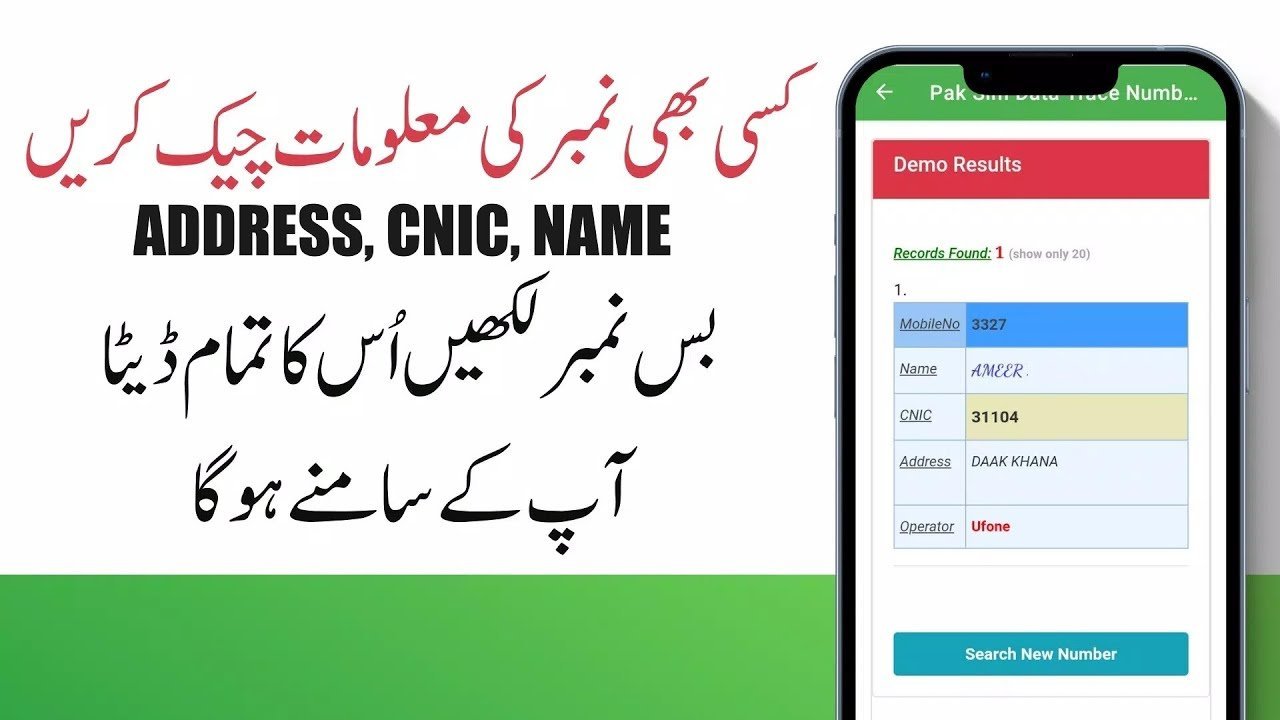
It is just as important to know what to avoid. Some websites and services promise to reveal full personal SIM owner details instantly and for free. These are almost always unreliable, illegal, or outright scams.
Avoid hacking, SIM-swapping, social-engineering carriers to obtain data, buying leaked databases, or using illicit services. These actions are illegal and often worsen your situation.
If a website claims to show someone’s full SIM owner details, it is usually unsafe. These websites can misuse your data or show false information.
Always protect yourself by sticking to official and trusted sources.
Pros and Cons of Checking SIM Owner Details
Pros:
- Helps protect your identity from misuse
- Assists in identifying unknown or suspicious callers
- Useful for businesses to verify contacts
- Empowers you to report fraud with evidence
- Easy to do through official carrier channels
Cons:
- Full personal details are not legally available to the public
- Third-party lookup tools can be inaccurate or misleading
- Some unofficial websites may collect your personal data
- Results vary by country and telecom provider
- Checking someone else’s number without consent may be illegal
Practical Tips to Stay Safe
Always use official sources. Your telecom provider’s website, app, or helpline is the safest place to start.
Never share your OTP or password. Never share your OTP or passwords with unknown apps or websites. These small mistakes can cause big problems.
Check your own SIM registrations regularly. Make it a habit to verify how many SIMs are active under your name. Catching unauthorized registrations early can save you from identity theft.
Save evidence if needed. Save call logs, messages, screenshots, and timestamps if you plan to report abuse or fraud.
Block and report suspicious numbers. Most smartphones allow you to block a number instantly. If a caller is persistent or threatening, report them to your carrier and local authorities.
Frequently Asked Questions
Q: Can I check SIM owner details of someone else’s number? A: In most countries, checking another person’s SIM details without their consent is not legally permitted. It is illegal to check someone else’s SIM information without their consent. Always respect others’ privacy. For legal matters, go through law enforcement.
Q: Are there free online tools that show full SIM owner details? A: Many users search for free SIM details online but do not realize that no free tool can legally show personal data. Tools that claim to show full names and addresses are usually unreliable and may violate privacy laws.
Q: How can I check how many SIMs are registered on my ID? A: Contact your mobile network operator directly or visit their official website. They can verify all SIM registrations linked to your identity and help you remove any unauthorized ones.
Q: What should I do if someone is using my identity to register a SIM? A: Contact your telecom provider immediately. They can verify the registration and deactivate any SIM that was registered without your permission. You should also file a report with local authorities.
Q: Is Truecaller a safe tool to check SIM owner details? A: Truecaller is a widely used and generally trusted caller identification app. It shows publicly shared or user-submitted information, not private SIM registration data. It is safe to use for identifying unknown callers, but always remember that no app has access to private carrier records.
Conclusion
Checking SIM owner details is a completely reasonable thing to want to do — whether you are protecting your identity, verifying a contact, or dealing with an unwanted caller.
The key is to do it the right way. Use your telecom provider’s official tools, trusted reverse lookup services for basic carrier info, and legal channels when serious situations arise. Avoid any website or service that promises more than what is legally available, as these are usually risky.
Your safety and privacy — and the privacy of others — matter. When you follow the right steps, you can get the information you need without crossing any legal or ethical lines.
Ready to take action? Explore the official tools offered by your mobile network provider or learn more about your rights through your country’s telecom regulator.