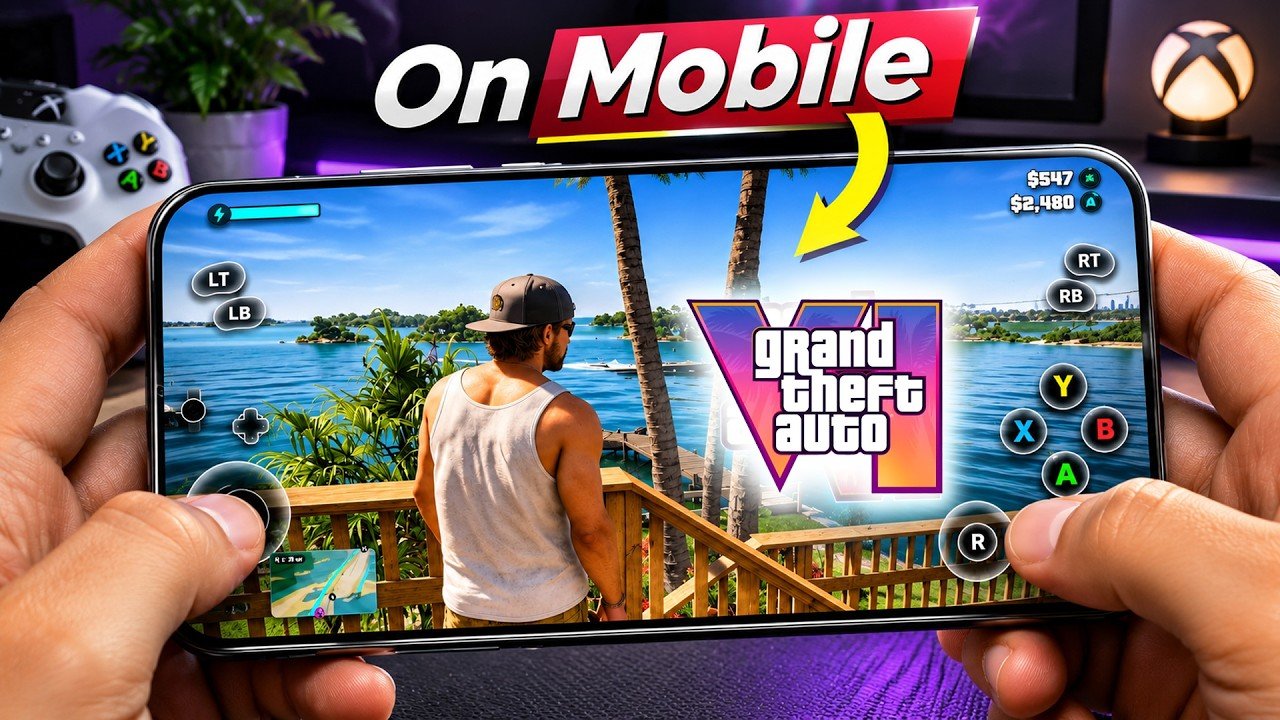

Grand Theft Auto VI, commonly known as GTA 6, is one of the most talked-about open-world games. With its detailed environments, modern vehicles, realistic characters, and exciting gameplay, it has attracted attention from console players and smartphone users alike.
Many Android users are interested in experiencing the world of GTA 6 on their phones. However, there is an important difference between a native mobile game and playing a console game remotely through a smartphone. Understanding this difference can help players choose a suitable gaming option.
In this guide, we explore the GTA 6 mobile experience, official platform availability, Remote Play possibilities, smartphone compatibility, expected gameplay features, and important things Android users should know before trying any third-party gaming service.
What Is GTA 6?
Grand Theft Auto VI is an open-world action-adventure game developed by Rockstar Games. It takes players to the fictional state of Leonida, featuring Vice City and surrounding environments.
The story follows two central characters, Jason and Lucia, whose lives become connected through a series of events involving crime, relationships, and difficult decisions.
GTA 6 focuses on creating an immersive environment where players can explore different locations, interact with characters, experience missions, and discover activities throughout the game world.
Its detailed presentation and large environment make it an important release for modern console gaming.
Is GTA 6 Available on Android?
One of the most common questions among smartphone users is whether GTA 6 has an official Android edition.
As of November 2026, Rockstar Games officially lists Grand Theft Auto VI for PlayStation 5 and Xbox Series X|S. A native Android edition has not been announced.
This means Android users should not confuse unofficial mobile demonstrations or third-party applications with an official version of the game.
However, smartphone users who own a compatible gaming console can explore Remote Play options. This allows the game to run on the console while its gameplay is streamed to a supported mobile device.
Understanding the GTA 6 Mobile Experience
Playing a modern console game on a smartphone can work differently from running a regular Android game.
A native mobile game is installed and processed directly on the phone. Remote Play, on the other hand, connects a smartphone to a compatible console over a network.
For GTA 6, this distinction is particularly important.
1. Console-Based Gameplay
The main game runs on a compatible PlayStation or Xbox console. Your smartphone acts as a screen and control interface.
This approach allows players to access their console gaming experience without sitting directly in front of a television.
2. Remote Access
Remote Play can provide access to console gameplay from another location, provided the console, mobile device, account, and network meet the service requirements.
3. Internet Connection
A stable internet connection is important for a smooth experience. Weak Wi-Fi or an unstable network may cause delayed controls, reduced image quality, or interruptions.
4. Mobile Screen Experience
Smartphone displays are smaller than traditional gaming monitors and televisions. Nevertheless, a modern phone with a good screen can provide a convenient way to view streamed gameplay.
Main GTA 6 Features That Make the Game Interesting
GTA 6 introduces several elements that make its open-world environment interesting for players.
1. Detailed Open World
The game features a large environment inspired by Florida, including urban locations, roads, beaches, and other areas.
Players can explore different locations and experience the world through the game’s story and activities.
2. Jason and Lucia
Jason and Lucia are the central characters of GTA 6.
Their connected story introduces different perspectives and creates opportunities for varied gameplay experiences.
3. Realistic Environment
Environmental details are an important part of the GTA experience.
The game features detailed surroundings, character animations, vehicles, and locations designed to create a more immersive world.
4. Vehicles and Driving
Vehicles have always been an important part of the Grand Theft Auto series.
GTA 6 continues this tradition with different transportation options and an environment designed for exploration and driving.
5. Story-Based Missions
Players can experience missions connected to the main storyline.
These activities help develop the characters and introduce different situations throughout the game.
6. Exploration and Activities
Open-world exploration allows players to discover locations and interact with different elements of the environment.
This gives players more freedom than a traditional level-based action game.
How to Play GTA 6 on a Mobile Phone
Although GTA 6 does not currently have a native Android edition, smartphone users with a compatible console can explore Remote Play.
Here is a general overview of the process.
Step 1: Prepare a Compatible Console
You need a supported PlayStation 5 or Xbox Series X|S console with GTA 6 available on your account.
The game runs on the console rather than being processed directly by your Android smartphone.
Step 2: Check Remote Play Support
Check the official Remote Play service for your console.
PlayStation users can explore the PS Remote Play application, while Xbox users can check the official Xbox remote features.
Step 3: Prepare Your Smartphone
Use a compatible Android smartphone with an updated operating system and a reliable internet connection.
Make sure your phone has enough available memory for the relevant application.
Step 4: Connect Your Account
Follow the official application instructions to connect your mobile device with your console account.
The exact setup process may vary depending on your console and application version.
Step 5: Connect to Your Console
Follow the on-screen instructions to establish a connection between your smartphone and console.
Once the connection is established, the console can stream the gameplay to your phone.
Step 6: Adjust Your Controls
Depending on the supported setup, you may use touchscreen controls or a compatible controller.
A physical controller can provide a more familiar gaming experience for action and driving activities.
Important: Remote Play requires a compatible console and a legitimate copy of the game. It does not turn GTA 6 into a standalone Android application.
Android Smartphone Compatibility
Not every smartphone provides the same experience when streaming console gameplay.
The following factors can influence overall performance.
Display Quality
A good display can make streamed gameplay easier to enjoy. Screen resolution, brightness, and refresh rate can all contribute to the viewing experience.
Network Performance
Network stability is one of the most important factors.
A reliable Wi-Fi connection can help reduce interruptions and improve responsiveness.
Battery Life
Streaming gameplay for extended periods can consume significant battery power.
Players should consider their phone’s battery capacity and temperature during longer sessions.
Available Storage
The phone needs sufficient storage for the relevant Remote Play application and its associated data.
However, players should remember that the console handles the actual GTA 6 game installation.
Processor Performance
A reasonably modern smartphone can provide a better overall experience when running streaming applications and handling other background tasks.
GTA 6 Mobile Gameplay vs Traditional Android Games
There are important differences between playing GTA 6 remotely and using a regular Android game.
| Feature | GTA 6 Remote Play | Regular Android Game |
|---|---|---|
| Game processing | Console | Smartphone |
| Internet | Required for streaming | Depends on game |
| Main installation | Console | Smartphone |
| Controls | Touch or controller | Touch or controller |
| Performance | Depends on console and network | Depends on phone |
| Experience | Console gameplay streamed to phone | Native mobile gameplay |
This comparison helps explain why GTA 6 Remote Play should not be considered the same as an official Android release.
Important Things to Consider Before Trying Mobile Gaming Services
Smartphone users should be careful when exploring applications and websites associated with popular games.
Some third-party services may use familiar game names without having an official connection to the original developer.
Consider the following points before using any service:
- Check the developer’s official website and platform information.
- Avoid applications that request unnecessary permissions.
- Do not share your gaming account password with unknown websites.
- Review application ratings and developer information.
- Check whether the service supports your smartphone and console.
- Be careful with websites promising an entirely different mobile version without official confirmation.
These simple precautions can help protect personal information and improve the overall gaming experience.
Is GTA 6 Suitable for Smartphone Users?
GTA 6 is designed for modern console hardware, but its Remote Play support provides an alternative for players who want to access console gameplay through a smartphone.
Whether this option is suitable depends on individual requirements.
Players who already own a compatible console may find mobile streaming convenient when they are away from their television.
On the other hand, users who only have an Android phone should understand that there is currently no native GTA 6 Android edition.
It is better to check official announcements rather than rely on unsupported claims about smartphone compatibility.
Final Thoughts
GTA 6 offers an exciting open-world experience with detailed environments, interesting characters, vehicles, and story-based gameplay.
Although many smartphone users are interested in playing it directly on Android, Rockstar Games has not announced a native Android version as of November 2026.
However, compatible console owners can explore official Remote Play options to stream gameplay to their smartphones.
For Android users, understanding the difference between native mobile gaming and console streaming is essential. Checking official platform information and using trusted services can help create a safer and more reliable gaming experience.
Frequently Asked Questions
1. Can I play GTA 6 on Android?
There is currently no native Android edition of GTA 6. However, compatible console owners can explore Remote Play options.
2. Is GTA 6 officially available for smartphones?
Rockstar Games currently lists PlayStation 5 and Xbox Series X|S as supported platforms. An official smartphone edition has not been announced.
3. Can I use Remote Play to experience GTA 6 on my phone?
Yes. Rockstar confirms Remote Play support for PlayStation and Xbox. You need a compatible console, the game, and a suitable network connection.
4. Does GTA 6 run directly on an Android phone?
No official native Android version is currently available. Remote Play streams the game from a console instead.
5. Do I need a gaming controller?
A compatible controller can improve the experience, although supported Remote Play applications may also offer touchscreen controls.
6. Does Remote Play require an internet connection?
Yes. A suitable network connection is needed to stream gameplay between the console and smartphone.
7. Will GTA 6 come to Android in the future?
Rockstar has not announced an Android release date or confirmed plans for a native mobile edition. Players should follow official announcements for reliable information.
8. Is GTA 6 suitable for low-end Android phones?
There are no official Android hardware requirements because a native Android edition has not been announced. Remote Play performance depends on the streaming application, network, and console.
9. Who developed GTA 6?
Grand Theft Auto VI is developed by Rockstar Games.
10. Where can I find reliable GTA 6 information?
The official Rockstar Games website and its customer support pages are useful sources for platform information, features, and announcements.
Disclaimer: This article is published for informational and educational purposes. GTA 6 is a trademark of Rockstar Games. APK4T.com is an independent informational website and is not affiliated with or endorsed by Rockstar Games.