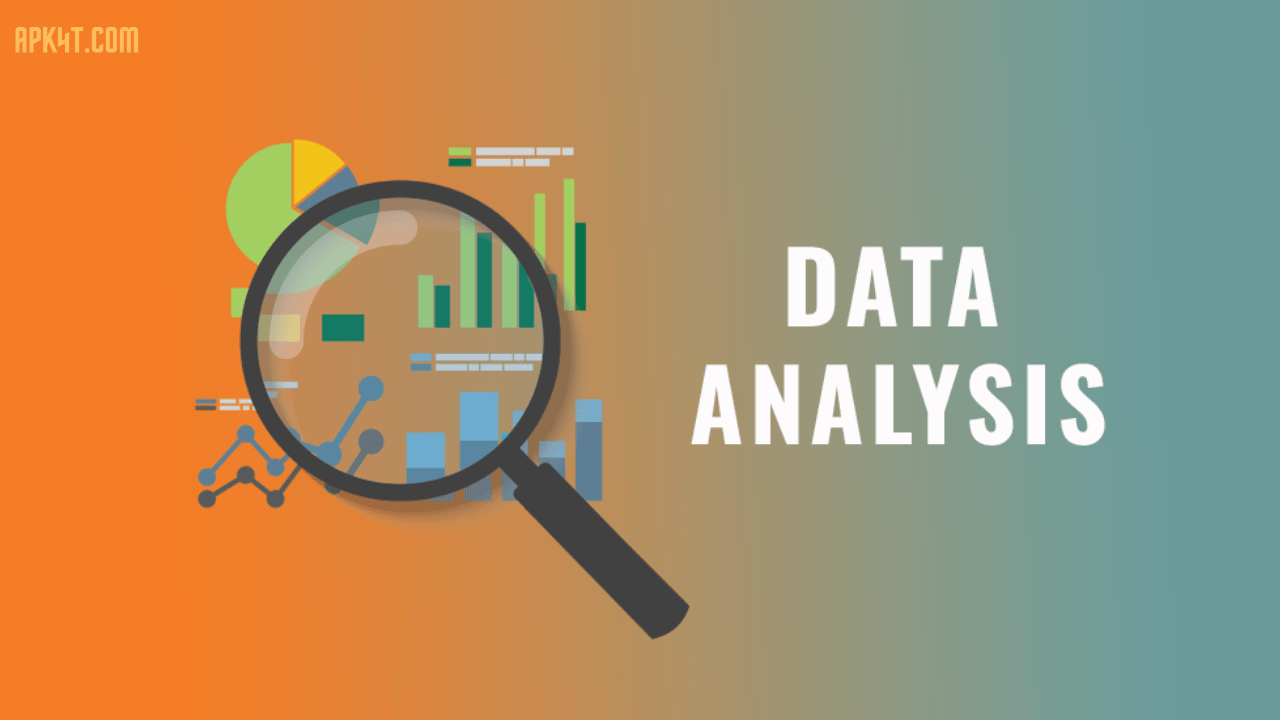

Data analytics apps are powerful software solutions that help companies transform raw data into meaningful business insights. These applications gather information from multiple sources—whether it’s customer databases, sales records, or financial systems—and present them in easy-to-understand dashboards and reports.
Think of them as your business’s brain. They help you answer critical questions like: How are our sales performing this quarter? Where are we losing customers? Which products bring the most profit? With real-time dashboards and interactive visualizations, you don’t need to wait for monthly reports anymore. You see what’s happening right now.
Modern data analytics platforms go beyond just showing numbers. They use artificial intelligence and machine learning to spot trends you might miss, predict future outcomes, and alert you when something unusual happens. Whether you’re a startup trying to understand customer behavior or a large enterprise managing thousands of data points, these tools make data accessible to everyone on your team—not just data scientists.
Why Business Intelligence Matters in 2026
The landscape of business intelligence has transformed dramatically. Companies that adopt real-time analytics now respond to market changes faster, optimize operations efficiently, and make smarter decisions ahead of their competition.
Consider this: organizations with real-time data pipelines achieve more accurate predictions across finance, supply chain management, and customer experience. Your competitors aren’t waiting for yesterday’s data anymore. They’re acting on what’s happening this moment.
Real-time business intelligence gives you instant visibility into key performance indicators, allowing your team to spot trends and issues as they emerge. This responsiveness isn’t just nice to have in 2026—it’s becoming essential for survival.
Key Features of Top Data Analytics Apps
Modern analytics applications come packed with features designed to make data work for you:
Interactive Real-Time Dashboards: Live dashboards update automatically as new data comes in. No more stale reports or manual refreshes. Your team always sees current information.
Drag-and-Drop Interface: You don’t need coding skills. Non-technical users can build their own reports and dashboards in minutes, not weeks.
Self-Service Analytics: Business users can explore data independently without waiting for analysts to answer every question. This freedom reduces bottlenecks and accelerates decision-making.
AI-Powered Insights: Built-in artificial intelligence detects anomalies, generates insights automatically, and even predicts future trends based on historical patterns.
Multiple Data Source Integration: Connect to 500+ sources including Salesforce, Google Analytics, databases, spreadsheets, and cloud services. Everything syncs in one unified platform.
Natural Language Querying: Ask questions in plain English. The tool understands your intent and returns answers without requiring SQL knowledge.
Advanced Data Visualization: Beyond boring charts, modern tools offer 75+ visualization types. Present your data in ways that tell compelling stories.
Mobile Access: View dashboards, receive alerts, and explore insights on your smartphone or tablet while you’re on the go.
Collaboration Features: Teams work together with shared dashboards, comments, real-time updates, and role-based access controls.
Data Preparation & Cleansing: Many platforms include built-in ETL (extract, transform, load) capabilities, eliminating the need for separate data engineering tools.
Top Data Analytics Apps Compared for 2026
Power BI by Microsoft
Microsoft Power BI remains the leader in many organizations, especially those already using Microsoft ecosystem products. It excels at handling large datasets and performing complex analysis quickly.
Strengths: Seamless Excel integration, advanced analytics capabilities, beautiful interactive reports, mobile apps for Windows/iOS/Android, strong AI features.
Best For: Enterprise teams, Microsoft-heavy organizations, businesses needing advanced predictive analytics.
Considerations: Learning curve for complex features, data modeling requires LookML knowledge, can be pricier than alternatives.
Zoho Analytics
Zoho Analytics delivers real-time business intelligence with a focus on SMBs and growing companies. It handles streaming data from multiple sources and updates dashboards instantly.
Strengths: 500+ native data source connections, AI-driven anomaly detection, built-in data preparation, affordable pricing, excellent real-time performance.
Best For: Growing businesses, high-volume operations, teams prioritizing speed, companies needing instant KPI visibility.
Considerations: Customization options are more limited than enterprise solutions.
Google Looker
Google’s Looker offers enterprise-grade analytics with cloud-first infrastructure. It’s perfect for organizations already invested in Google Cloud services.
Strengths: Semantic modeling layer, enterprise dashboards, real-time insights, AI-powered Gemini conversational analytics, strong governance features.
Best For: Large enterprises, Google Cloud users, organizations needing governed self-service analytics.
Considerations: Steeper pricing for enterprise features, more complex setup than self-service tools.
Tableau
Tableau remains a gold standard for data visualization and visual analytics. It transforms complex data into compelling visual stories that stakeholders actually understand.
Strengths: Unmatched visualization capabilities, flexible exploration environment, agentic analytics platform, trusted by major enterprises.
Best For: Data visualization-focused organizations, companies requiring advanced analytics, enterprises needing autonomous action.
Considerations: Price point is higher than some competitors, steeper learning curve.
Metabase
Metabase stands out as an open-source solution that’s remarkably user-friendly. Non-technical business users consistently praise how intuitive it is.
Strengths: Open-source (free to self-host), incredibly simple to learn, no-code query builder, built-in drilldowns, fast implementation.
Best For: SMBs with limited budgets, teams wanting open-source flexibility, organizations prioritizing ease of use.
Considerations: Less advanced analytics than enterprise solutions, smaller community compared to commercial platforms.
Databricks AI/BI
Databricks brings AI-powered analytics natively into your data lakehouse. It’s conversational analytics built for scale.
Strengths: Native AI/BI on lakehouse architecture, Genie conversational analytics, direct queries on governed data, unlimited user access.
Best For: Organizations already on Databricks platform, technical teams wanting native AI integration, companies with lakehouse architecture.
Considerations: Requires existing Databricks setup, best for technically sophisticated teams.
Sisense
Sisense delivers AI-powered embedded analytics with flexibility across no-code, low-code, and pro-code approaches.
Strengths: Powerful Elasticube data structure, AI-driven insights, mobile BI, customizable dashboards, embedded analytics capabilities.
Best For: Organizations embedding analytics in applications, teams needing advanced customization, enterprises requiring AI insights.
Considerations: Some customization requires coding, additional features sold separately.
Comparison Table: Analytics Apps Feature Matrix
| Feature | Power BI | Zoho | Looker | Tableau | Metabase | Databricks |
|---|---|---|---|---|---|---|
| Real-Time Updates | ✓ | ✓✓ | ✓ | ✓ | ✓ | ✓✓ |
| No-Code Interface | ✓ | ✓✓ | ✓ | ✓ | ✓✓ | ✗ |
| AI Analytics | ✓✓ | ✓✓ | ✓ | ✓ | ✓ | ✓✓ |
| Mobile Access | ✓ | ✓ | ✓ | ✓ | Limited | ✓ |
| Pricing | $$ | $ | $$$ | $$$ | Free/$$ | $$$ |
| Setup Time | Moderate | Fast | Complex | Moderate | Fast | Complex |
| Data Sources | 100+ | 500+ | 200+ | 150+ | 50+ | Native |
Advantages of Modern Analytics Applications
Faster Decision-Making: Real-time dashboards eliminate delays. Leaders act on current information, not historical reports.
Cost Reduction: Self-service analytics reduce the need for dedicated analysts answering repetitive questions. Teams focus on strategic work instead of data prep.
Improved Accuracy: Centralized data reduces silos and conflicting information. One source of truth ensures everyone’s on the same page.
Better Customer Understanding: Analytics reveal customer behavior patterns, preferences, and lifetime value. Use these insights to personalize experiences and increase loyalty.
Operational Efficiency: Spot bottlenecks and inefficiencies instantly. Optimize processes before they become costly problems.
Competitive Advantage: Organizations with real-time insights respond to market changes faster than slower competitors.
Democratized Data: Everyone on your team can explore data independently. You’re not waiting on technical experts anymore.
Predictive Power: AI-driven forecasting helps you anticipate trends, prepare for changes, and make proactive decisions.
Disadvantages & Honest Considerations
Learning Curve: Even “no-code” tools require training. New users need time to understand data relationships and best practices.
Data Quality Issues: Garbage in, garbage out. Poor data quality undermines insights. You need solid data governance practices.
Implementation Time: While faster than legacy systems, proper setup still takes weeks or months. Rushing implementation leads to suboptimal configurations.
Cost at Scale: Per-user licensing can become expensive as teams grow. Unlimited-user plans exist but come with higher base costs.
Over-Reliance on Tools: Analytics tools show what happened, not always why. Human interpretation and business context remain essential.
Integration Complexity: Connecting legacy systems and disparate data sources requires technical expertise and careful planning.
Alert Fatigue: Too many automated alerts become noise. Proper configuration prevents analysts from ignoring critical warnings.
Popular Tools & Updates for 2026
The analytics landscape continues evolving rapidly. Here’s what’s trending:
AI-First Platforms: Every major player now emphasizes AI-powered insights, anomaly detection, and natural language querying. AI isn’t an afterthought anymore.
Governed Self-Service: Organizations want self-service speed without sacrificing compliance. Modern platforms enable governed exploration where analysts move quickly within guardrails.
Embedded Analytics: Business intelligence is moving into applications. Instead of separate dashboards, companies embed analytics directly where work happens.
Conversational Analytics: “Chat with your data” using natural language. Ask Genie, Looker’s AI assistant, questions and get answers in seconds.
Low-Code/No-Code Emphasis: Technical barriers are falling. Business users build dashboards without SQL or programming knowledge.
Real-Time Streaming: Traditional batch processing feels slow now. Modern platforms process data as it arrives, updating insights instantly.
Unified Platforms: Companies move away from tool sprawl. One platform handles data integration, preparation, visualization, and AI analytics.
User Tips for Maximum Impact
Start With Clear Objectives: Don’t build dashboards aimlessly. Define what decisions your team needs to make, then build analytics to support those decisions.
Focus on Key Metrics: More data isn’t always better. Identify 5-7 key performance indicators that matter most, then track those religiously.
Establish Data Governance: Create rules around data access, quality standards, and naming conventions. Consistency prevents confusion.
Train Your Team: Invest time teaching non-technical users how to explore data safely. Your ROI multiplies when everyone can self-serve.
Keep Dashboards Simple: Cluttered dashboards confuse. Use white space, tell a story, highlight what matters. Mobile-first design improves usability.
Iterate Continuously: Your first dashboard won’t be perfect. Gather feedback, make adjustments, improve over time.
Use Alerts Wisely: Configure meaningful alerts that trigger action. Avoid alert fatigue by being selective about what warrants notification.
Combine Tools Strategically: While unified platforms are ideal, sometimes combining tools addresses specific needs. Just minimize data jumping between systems.
Document Everything: Record metric definitions, data sources, and calculation logic. Future team members will appreciate clarity.
Celebrate Data Culture: Share insights company-wide. Make data exploration part of your culture. Data-driven companies outperform peers significantly.
Frequently Asked Questions About Data Analytics Apps
Q: Do I need technical skills to use modern analytics apps? A: Not anymore. Most 2026 analytics platforms feature drag-and-drop interfaces, natural language querying, and AI assistance. Even non-technical users build dashboards quickly. That said, understanding basic data concepts helps, and complex analysis still benefits from technical knowledge.
Q: How long does implementation typically take? A: Simple implementations with basic dashboards take 2-4 weeks. Mid-sized projects with multiple data sources and complex logic run 2-3 months. Large enterprises with legacy systems and extensive governance requirements can take 6-12 months. Start small and expand gradually.
Q: What’s the typical cost of analytics software? A: It varies wildly. Free open-source options exist (Metabase). SMB-focused tools run $100-500/month. Enterprise solutions range from $1,000-50,000+ monthly depending on data volume, users, and features. Calculate ROI based on time saved and better decisions enabled.
Q: Can I use analytics apps with my existing data systems? A: Most modern platforms connect to 100-500+ data sources including databases, cloud storage, and business applications. They’re specifically designed for integration. Just ensure proper API documentation and network access between systems.
Q: How do I ensure data security in analytics platforms? A: Look for encryption (at rest and in transit), role-based access controls, single sign-on (SSO), audit logging, and compliance certifications (SOC 2, ISO 27001, GDPR). Keep authentication strong and limit data access based on job roles.
Q: What’s the difference between business intelligence and data analytics apps? A: BI tools typically focus on reporting and dashboards—showing what happened. Analytics apps go deeper with predictions, pattern discovery, and anomaly detection. Modern platforms blur this line by combining both capabilities in unified solutions.
Q: How often should dashboards update? A: It depends on your industry and use case. Financial institutions might need updates every few minutes. Retail companies track hourly or daily. Most businesses find daily or weekly sufficient. Real-time streaming is critical only in specific scenarios like fraud detection or supply chain management.
Conclusion
Data analytics apps have become essential business infrastructure in 2026. The competition isn’t choosing between analytics and alternatives anymore—it’s choosing which platform best fits your specific needs.
Whether you need Power BI’s enterprise depth, Zoho’s affordability, Tableau’s beautiful visualizations, or Metabase’s simplicity, the right tool exists for your organization. The best analytics app is the one your team actually uses consistently to drive real decisions.
Start by identifying your specific business problems. What decisions do you need to make faster? What bottlenecks slow your operations? Then evaluate tools that directly address those pain points. Prioritize ease of use, implementation speed, and cost-effectiveness alongside advanced features.
The data advantage belongs to organizations that move from insights to action quickly. Real-time intelligence, accessible to everyone on your team, transforms how you compete. Your competitors are already building their analytics strategy for 2026.
Ready to unlock insights from your data? Explore these platforms with free trials, start with a focused pilot project, and expand as your team discovers the value of data-driven decision-making. The time to act is now.