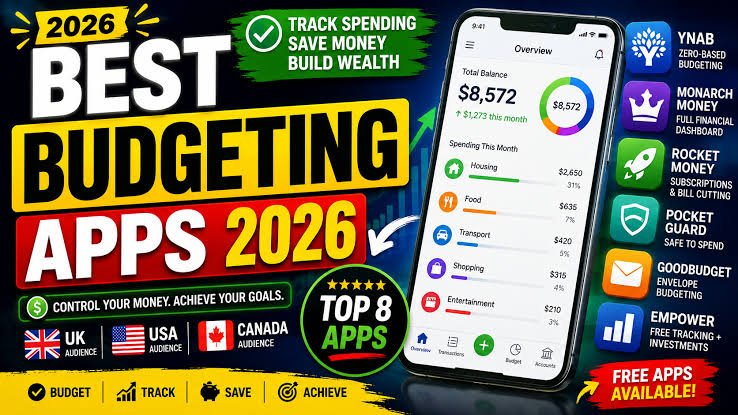

Managing money can become difficult when rent, groceries, subscriptions, transportation, insurance, and other expenses compete for the same paycheck. Even when you earn a regular income, it is easy to lose track of small purchases and recurring bills.
A budgeting app can make this process easier by organizing transactions, setting spending limits, tracking savings goals, and showing where your money goes. Some apps connect to financial accounts and categorize transactions automatically, while others let you enter expenses manually and plan every dollar before spending it.
The best budgeting app depends on your financial habits, preferred budgeting method, device, and country. An app that works well with US banks may not support the same account connections in the United Kingdom, Canada, or New Zealand.
In this guide, we compare popular budgeting apps, explain their main features, and explore what to check before choosing a financial management tool.
Whether you want to manage household expenses, prepare for a large purchase, reduce unnecessary subscriptions, or build a savings habit, understanding the available options can help you choose an app that fits your needs.
What Is a Budgeting App?
A budgeting app is a digital tool that helps you organize income, expenses, savings, and financial goals. Depending on the service, it may provide a monthly spending plan, transaction history, category limits, bill reminders, or reports showing how your spending changes over time.
Some budgeting apps focus on tracking transactions after they happen. Others encourage you to create a plan before spending money. More advanced services may combine budgeting with net-worth tracking, shared household finances, and financial forecasting.
Most apps fall into three broad categories.
Expense Tracking Apps
Expense trackers record spending and organize transactions into categories such as groceries, transportation, housing, entertainment, and utilities.
These tools are useful if you mainly want to understand where your money goes. Some connect to supported bank accounts, while others rely on manual entry.
Planning-Based Budgeting Apps
Planning-based apps help you assign available money to specific expenses and savings goals before you spend it.
For example, you might allocate part of your income to rent, another amount to groceries, and the remainder to transportation, debt payments, or savings.
This approach can be useful if you want a more structured plan rather than a report of past transactions.
Household Finance Apps
Household budgeting tools help couples or families coordinate shared expenses, recurring bills, and savings targets.
Depending on the app, members may be able to share a budget, categorize purchases, and review progress toward common financial goals.
Best Budgeting Apps at a Glance
The following services offer different approaches to budgeting. They are options to compare rather than a universal ranking.
| App | Best suited for | Important consideration |
|---|---|---|
| YNAB | Detailed, planned budgeting | Subscription cost and learning curve |
| Monarch Money | Household budgeting and financial overview | Paid plans and supported account connections |
| Goodbudget | Envelope-style budgeting | Manual transaction entry in its free plan |
| Rocket Money | Subscription and recurring expense tracking | Primarily designed for the US market |
| EveryDollar | Simple zero-based budgeting | Automatic bank connections require a paid plan |
| Quicken Simplifi | Spending reports and cash-flow planning | Check regional availability and subscription terms |
| Spreadsheet or manual planner | People who want a simple, flexible budget | Requires more manual work |
Features and prices can change. Check each provider’s official website for current plan details, supported countries, and device compatibility before signing up.
1. YNAB: Best for Planning Every Dollar
You Need a Budget, commonly called YNAB, is designed around a zero-based budgeting method. The idea is to give your available money a specific purpose instead of relying on an estimate of how much you might spend during the month.
For example, after receiving income, you might allocate money to housing, groceries, utilities, transport, debt payments, and savings. If one category needs more money than expected, you adjust your plan rather than ignoring the difference.
Key Features
Depending on the current service offering, YNAB provides tools for:
- Assigning money to spending categories.
- Setting savings goals.
- Monitoring spending against a plan.
- Managing budgets across supported devices.
- Reviewing financial progress over time.
- Connecting eligible financial accounts.
YNAB also emphasizes actively managing your budget rather than depending entirely on automatic transaction tracking.
Who Should Consider YNAB?
YNAB may suit people who want a structured approach to managing their income and expenses. It can be useful for households with irregular income, people saving for planned purchases, or anyone who prefers deciding how available money should be used.
However, it requires regular attention. Users who only want a quick overview of their bank balance may prefer a simpler tracker.
YNAB offers a paid subscription, so compare its cost with the value you expect to receive from the planning tools.
Official website: https://www.ynab.com/
2. Monarch Money: Best for Household Financial Tracking
Monarch Money combines budgeting with a broader view of personal finances. It is designed for people who want to review transactions, spending categories, savings goals, and other financial information in one place.
Its household-oriented features may be useful for couples who want to coordinate expenses and review their financial position together.
Key Features
Depending on the plan and supported connections, Monarch Money offers features such as:
- Customizable budget categories.
- Transaction tracking and spending reports.
- Financial account aggregation.
- Savings goals and recurring expense monitoring.
- Net-worth tracking.
- Tools for managing shared household finances.
Account connections are an important consideration. Supported financial institutions and features can vary, so verify that your bank and accounts are compatible before subscribing.
Who Should Consider Monarch Money?
Monarch Money may suit people who want more than a basic monthly spending tracker. It can be worth considering if you manage multiple accounts or want to see household spending and broader financial information together.
Its paid subscription may not be necessary for someone who only needs a basic list of expenses.
Availability also matters. Do not assume that every account connection or feature is available in all four target countries.
Official website: https://www.monarch.com/
3. Goodbudget: Best for Envelope Budgeting
Goodbudget uses the envelope budgeting concept. Traditionally, people divide available money into separate envelopes for different spending purposes. A digital envelope system applies the same idea through categories in an app.
You might create envelopes for groceries, transport, household bills, entertainment, and annual expenses. Each category has a planned amount, and spending reduces the available balance.
Key Features
Goodbudget provides tools for:
- Creating spending envelopes.
- Planning recurring expenses.
- Recording income and transactions.
- Tracking spending against category limits.
- Managing budgets across supported devices.
- Reviewing financial activity over time.
Its free plan has limits on the number of envelopes, connected devices, and transaction history. Paid features and bank connectivity should be checked on the provider’s current plan page.
Who Should Consider Goodbudget?
Goodbudget may be suitable for people who prefer manual control over their spending plan. It can also be useful for couples or households that want to discuss how money is allocated before making purchases.
Manual entry takes time, but it can encourage users to pay closer attention to everyday spending.
If automatic bank synchronization is essential, check the current plan’s capabilities and whether your financial institution is supported.
Official website: https://goodbudget.com/
4. Rocket Money: Best for Recurring Expenses and Subscriptions
Rocket Money combines personal finance features with tools for identifying recurring charges. It is particularly relevant to people who want to understand which subscriptions and regular payments are taking money from their accounts.
For example, you might discover that several streaming services, cloud storage plans, or memberships renew each month even though you rarely use them.
Key Features
Depending on the current plan, Rocket Money may provide:
- Spending and transaction tracking.
- Recurring payment identification.
- Subscription management tools.
- Budgeting features.
- Financial account connections.
- Additional premium services.
Not every feature is included in the free offering, and subscription management capabilities may have specific limitations.
Who Should Consider Rocket Money?
Rocket Money may be worth considering if recurring charges are a major source of confusion in your budget.
It is primarily focused on the US market, so readers in the UK, Canada, and New Zealand should verify eligibility and regional availability before attempting to connect financial accounts.
Before authorizing account access, review the app’s privacy policy, permissions, and subscription terms.
Official website: https://www.rocketmoney.com/
5. EveryDollar: Best for a Simple Zero-Based Budget
EveryDollar is built around a zero-based budgeting approach. Users plan how their income will be allocated across bills, spending categories, and savings goals.
The basic method can be straightforward: identify available income, list planned expenses, and adjust the budget until every dollar has an assigned purpose.
Key Features
Depending on the plan, EveryDollar offers features such as:
- Creating a monthly budget.
- Organizing expenses into categories.
- Setting savings targets.
- Tracking spending against planned amounts.
- Automatic transaction connections on eligible paid plans.
Its free version allows manual budgeting, while automatic bank connections and additional features are associated with paid services.
Who Should Consider EveryDollar?
EveryDollar may suit people who want a simple, plan-first budgeting process and are comfortable entering transactions manually.
However, check whether the service supports your country and financial institution before paying for a subscription. Do not assume that a US-focused product will provide the same experience internationally.
Official website: https://www.ramseysolutions.com/ramseyplus/everydollar
6. Quicken Simplifi: Best for Cash-Flow Visibility
Quicken Simplifi is a personal finance tool designed to help users understand spending, recurring bills, and their projected financial position.
Cash-flow visibility can be useful when you need to coordinate a regular paycheck with rent, utilities, credit card payments, and other scheduled expenses.
Key Features
Depending on the current plan, Simplifi may provide:
- Spending categorization.
- Cash-flow projections.
- Recurring bill tracking.
- Savings goals.
- Financial account connections.
- Reports about spending patterns.
Check current device support, account connectivity, pricing, and regional eligibility before subscribing.
Who Should Consider Quicken Simplifi?
It may suit people who prefer seeing their expected income and expenses together instead of manually maintaining a detailed envelope budget.
As with other connected finance apps, the quality of the overview depends on accurate transaction data and supported account connections.
Official website: https://www.quicken.com/products/simplifi/
7. A Spreadsheet or Manual Budget Planner: Best for Keeping Things Simple
A dedicated app is not essential for managing your money. A spreadsheet or simple budgeting template can provide many of the same basic planning functions without a recurring software subscription.
You can create categories for housing, groceries, transportation, utilities, insurance, debt payments, and savings. Enter your expected income and expenses, then compare your plan with actual spending.
Benefits of a Spreadsheet Budget
A spreadsheet can offer:
- Flexible spending categories.
- Custom formulas and calculations.
- Monthly and annual expense summaries.
- No need to connect a bank account.
- Control over how your financial data is stored.
- Easy customization for household or freelance budgets.
What Are the Limitations?
Spreadsheets require manual updates unless you build an automated workflow. They also do not automatically provide the same account integrations, alerts, or transaction categorization offered by some finance apps.
For people who value simplicity, however, a spreadsheet can be a practical starting point.
How to Choose a Budgeting App That Fits Your Needs
The most useful budgeting app is one you can maintain consistently. A large feature list is less important than choosing a system that fits your habits and financial circumstances.
1. Decide Whether You Need Automatic Bank Connections
Automatic account connections can reduce manual entry by importing eligible transactions. However, support varies by bank, country, account type, and provider.
If you prefer not to connect your financial accounts to a third-party service, look for manual-entry budgeting tools or a spreadsheet.
2. Check the Free Plan Carefully
Some apps provide a permanent free version, while others offer only a limited trial. Free plans may restrict account connections, historical data, categories, devices, or advanced reports.
Before registering, confirm what remains available after a trial ends and whether you need a payment method to begin.
3. Compare the Full Subscription Cost
A budgeting app can have monthly or annual billing, optional premium features, and promotional introductory prices.
Check the renewal price rather than relying only on a discount advertised for new users. Compare the cost with the features you will actually use.
4. Consider Your Budgeting Style
Different methods work for different people.
- Zero-based budgeting: Assign available money to specific purposes.
- Envelope budgeting: Set spending limits for separate categories.
- Expense tracking: Review what you have already spent.
- Cash-flow planning: Compare expected income with upcoming expenses.
Choose the approach that makes it easiest for you to understand and control your finances.
5. Review Privacy and Security
Budgeting apps may process sensitive information about your income, spending, accounts, and financial habits.
Before connecting an account, review the provider’s privacy policy and security practices. Use a strong, unique password, enable multifactor authentication where available, and understand how account access can be revoked.
Avoid providing banking credentials to unfamiliar services or following suspicious links that claim to offer budgeting tools.
6. Check Device and Country Compatibility
Confirm that the app supports your operating system and country. Also check whether bank synchronization, customer support, currency settings, and other important features work where you live.
A budgeting app can still be useful without bank synchronization, but you should understand its limitations before paying for it.
Best Budgeting Apps for the USA
US users have access to several budgeting services, including YNAB, Monarch Money, Goodbudget, Rocket Money, EveryDollar, and Quicken Simplifi, subject to current product availability.
The right choice depends on what you want to accomplish.
For Detailed Spending Plans
Consider YNAB or EveryDollar if you prefer assigning income to specific categories before spending it.
For Household Financial Tracking
Consider Monarch Money if its current plan and supported account connections fit your household’s needs.
For Recurring Subscriptions
Rocket Money may be worth exploring if you want tools for identifying recurring charges and managing subscriptions in the United States.
For Manual Budgeting
Goodbudget or a spreadsheet can work well if you prefer controlling categories and entering transactions yourself.
US users should also consider whether an app supports the financial institutions and account types they use. Automatic synchronization is not guaranteed for every institution.
For general financial education and budgeting resources, visit the Consumer Financial Protection Bureau.
Best Budgeting Apps for the United Kingdom
UK users should consider whether a budgeting service supports their bank accounts, payment accounts, currency, and preferred budgeting method.
Apps that connect to UK financial institutions may use regulated account-information services or other connection arrangements. Before granting access, review which provider receives your data and how permissions work.
What Should UK Users Look For?
- Support for UK bank accounts and GBP transactions.
- Clear transaction categorization.
- Recurring bill and subscription tracking.
- Spending limits and savings goals.
- Transparent subscription fees.
- Appropriate privacy and security practices.
A budgeting app designed mainly for the US market may not support all UK banks or offer the same features to UK residents.
For general guidance on managing money, visit MoneyHelper, a UK-backed financial guidance service.
Best Budgeting Apps for Canada
Canadian users should verify support for their Canadian bank accounts, credit cards, and preferred currency before selecting an app.
Some finance apps may provide account aggregation, while others require manual transaction entry. The best choice depends on the level of automation you want and whether the service supports your financial institutions.
What Should Canadian Users Look For?
- Compatibility with Canadian financial institutions.
- Support for CAD transactions and reporting.
- Spending categories that can be customized.
- Clear subscription and cancellation terms.
- Tools for managing household expenses.
- Privacy protections for sensitive financial information.
Do not assume that an app’s US features or pricing apply to Canadian customers. Check the current regional terms.
For practical information on budgeting and managing money, visit the Government of Canada’s Financial Consumer Agency.
Best Budgeting Apps for New Zealand
In New Zealand, compatibility with local banks and NZD transactions is an important consideration. Some international apps may have limited local account connections, while manual-entry tools can still help you maintain a spending plan.
What Should New Zealand Users Look For?
- Support for local financial accounts, if automatic connections are needed.
- Clear NZD reporting.
- Flexible categories for rent, transport, groceries, and utilities.
- Tools for planning irregular expenses.
- Transparent data-sharing and privacy practices.
- Pricing that makes sense for the features offered.
If your chosen app does not connect to your bank, you can still use it by entering transactions manually or importing supported records where available.
For guidance on budgeting and financial wellbeing, visit Sorted, New Zealand’s financial education resource.
How to Build a Monthly Budget Using an App
Once you choose a tool, the next step is creating a budget you can realistically follow.
Step 1: Calculate Your Income
Start with the income you expect to receive during the month. If your income changes, use a cautious estimate and update your budget when payments arrive.
For irregular income, it may be helpful to plan essential expenses first and leave discretionary spending flexible.
Step 2: List Essential Expenses
Record regular costs such as housing, utilities, groceries, transportation, insurance, and minimum debt payments.
Use actual bills and recent transactions wherever possible rather than relying entirely on memory.
Step 3: Add Irregular Expenses
Annual subscriptions, car maintenance, school costs, gifts, and insurance renewals can disrupt a budget when they are not planned for.
Estimate these costs and set aside an appropriate amount over time if your circumstances allow.
Step 4: Set Spending Limits
Choose reasonable limits for discretionary categories such as dining out, entertainment, shopping, and hobbies.
These limits should reflect your income and essential commitments. A budget that is unrealistically restrictive can be difficult to maintain.
Step 5: Set a Savings Goal
Choose a goal that fits your circumstances, such as building an emergency fund or saving for a planned purchase.
Start with a manageable amount. If you have high-interest debt or struggle to cover essential costs, your priorities may differ.
Step 6: Review Your Progress Weekly
Check your transactions and compare actual spending with your plan. Correct categories when needed and adjust future spending if an expense was higher than expected.
A short weekly review can help you spot problems before the end of the month.
Common Budgeting Mistakes to Avoid
Forgetting Small Purchases
Coffee, takeaway meals, app subscriptions, and small online purchases can add up. Record them consistently so your spending report reflects reality.
Setting Unrealistic Limits
A budget that leaves too little for normal expenses may fail quickly. Use actual spending data to set practical limits and adjust them as your circumstances change.
Ignoring Annual Bills
Expenses that occur once or twice a year can create a sudden financial strain. Include them in your plan instead of treating them as unexpected events.
Paying for Features You Do Not Use
A premium subscription may not be worthwhile if you only need basic expense tracking. Reassess your plan periodically and cancel services that no longer provide value.
Relying on Automatic Categorization Without Checking
An app may classify a transaction incorrectly or fail to identify a payment. Review imported transactions regularly to keep your budget accurate.
Sharing Too Much Financial Information
Only provide the permissions necessary for the service you choose. Understand the privacy implications before connecting accounts or sharing financial information with another household member.
Frequently Asked Questions
What is the best budgeting app in 2026?
There is no single best option for everyone. YNAB is designed for detailed planning, Monarch Money offers a broader financial overview, Goodbudget focuses on envelope budgeting, and Rocket Money emphasizes recurring expenses and subscriptions. The best fit depends on your needs and country.
Are budgeting apps free?
Some provide free plans, while others offer paid subscriptions or limited free trials. Free versions may restrict automatic bank connections, transaction history, or advanced features. Check the current plan terms before signing up.
Are budgeting apps safe to use?
Security varies by provider. Review its privacy policy, account protection, data-sharing practices, and permissions. You can also choose manual-entry tools if you prefer not to connect financial accounts.
Can I use the same budgeting app in different countries?
Some apps serve multiple countries, but features, supported banks, and subscription prices may differ. Confirm that the service supports your country and financial institutions before subscribing.
Do budgeting apps connect directly to bank accounts?
Some do, using supported account-connection services. Others rely on manual entry or supported imports. Connection availability depends on the app, financial institution, account type, and country.
Can a budgeting app help me save money?
A budgeting app can make spending patterns more visible and help you plan expenses. Whether you save money depends on your financial circumstances and how you use the information.
Is a spreadsheet better than a budgeting app?
A spreadsheet offers flexibility and control, while an app may provide automatic categorization, alerts, and account connections. Choose the method you can maintain consistently.
Should couples use a shared budgeting app?
A shared budgeting app may help couples coordinate bills and savings goals. Before linking accounts or sharing access, discuss privacy, permissions, and how each person wants to manage their money.
Final Verdict
The best budgeting app is the one that fits your financial habits, works in your country, and makes it easier to follow a realistic spending plan.
YNAB may suit people who want a structured, zero-based approach. Monarch Money may be worth comparing for household budgeting and broader financial tracking. Goodbudget is an option for people who prefer envelope budgeting, while Rocket Money may be useful for eligible US users who want to review recurring charges. EveryDollar, Quicken Simplifi, and a simple spreadsheet provide additional approaches worth considering.
Before paying for a service, check its current pricing, free-plan limits, device support, country availability, bank connections, and privacy practices.
Start with a simple budget, track your expenses consistently, and review your progress each week. You can always change your categories or switch tools as your needs evolve.
Disclaimer
This article is for general educational purposes only and does not constitute financial advice or an endorsement of any specific app. Features, availability, pricing, and account connections may change. Verify current terms with each provider and review its privacy policy before sharing financial information.