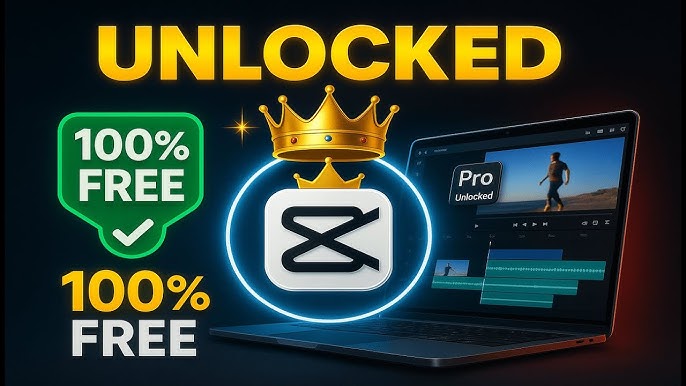

Have you ever wondered why some videos on TikTok, Instagram, or YouTube just look so much more polished and professional? The answer often comes down to the tools creators are using behind the scenes.
CapCut has become one of the most popular video editing apps in the world — and its Pro version takes things to a whole new level. In this guide, you will learn exactly what CapCut Pro offers, who it is designed for, whether it is worth the cost, and how to make the most of its advanced features.
What Is CapCut Pro?
CapCut is a free video editing app developed by ByteDance, the same company behind TikTok. It is available on mobile, desktop, and web browsers, making it one of the most accessible editing tools available today.
CapCut Pro is the paid version of CapCut that unlocks more advanced editing features than the free plan. It adds higher-quality export options, access to premium effects and assets, and AI tools like auto captions and background removal that can speed up editing tasks.
In simple terms, the free version gives you the basics. CapCut Pro removes the limits and opens up a full professional toolkit.
Key Features of CapCut Pro
Here is what you actually get when you upgrade to the Pro plan:
4K Video Export CapCut Pro supports 4K resolution for cinematic, high-quality exports. This makes a real difference for YouTubers and anyone creating content that needs to look sharp on large screens.
No Watermarks Nothing ruins a polished video like seeing “Made with CapCut” plastered across the corner. Pro removes all watermarks from your exports, giving your content a truly clean and professional finish.
AI-Powered Editing Tools Advanced AI tools include the auto caption generator, background remover, motion tracking, noise reduction, AI video, AI music, AI image generator, and advanced video enhancement tools. These features alone can save content creators hours every week.
Premium Templates and Effects Pro unlocks CapCut’s entire collection of creative assets — every transition, filter, and visual effect, along with premium templates, more fonts, stock footage, an extended music library, and stickers and graphics.
Large Cloud Storage Pro provides users with approximately 1024 GB of cloud storage, which is significantly more than the free tier. This means you can safely back up and sync large projects without running out of space.
Multi-Device Sync With multi-device sync and cloud storage, you can start editing on one device and pick up where you left off on another. Perfect for creators who switch between phone and desktop.
CapCut Pro Pricing: How Much Does It Cost?
Pricing starts at $7.99 per month or $74.99 per year, with a 7-day free trial to test advanced features before committing.
The yearly plan is the smarter choice if you plan to use CapCut regularly, as it works out significantly cheaper per month. The 7-day free trial is a great way to explore all Pro features before spending any money — take full advantage of it.
CapCut Free vs CapCut Pro: A Quick Comparison
| Feature | Free Version | Pro Version |
|---|---|---|
| Export Quality | Up to 1080p | Up to 4K |
| Watermark | Yes (on some exports) | No |
| AI Tools | Limited | Full access |
| Templates & Effects | Basic selection | Full library |
| Cloud Storage | Very limited | Up to 1 TB |
| Auto Captions | Not included | Included |
The free version offers limited access to premium templates, advanced effects, fonts, and music tracks, while an advanced AI-powered toolset including motion tracking and an auto caption generator is exclusive to Pro users.
Pros and Cons of CapCut Pro
Pros
- Clean, watermark-free video exports
- 4K resolution support for professional-quality output
- Powerful AI tools that save hours of manual editing
- Huge library of premium templates, music, and effects
- Works on mobile, desktop, and web browser
- Ad-free experience with priority customer support for Pro users
Cons
- AI credits are capped — even in Pro you get 1,200 per month, so heavy users of features like translation or lip sync may reach the limit
- Some AI features require an internet connection, so editing in areas with poor Wi-Fi can cause features to lag or become unavailable
- Some fine adjustments, especially in tracking, masking, or motion, feel more limited compared to full desktop editors like Premiere Pro or DaVinci Resolve
- Subscription required — no one-time purchase option
Who Should Upgrade to CapCut Pro?
CapCut Pro is not for everyone, and that is okay. Here is a simple breakdown:
Upgrade if you are:
- A content creator posting regularly to TikTok, YouTube, or Instagram
- A social media manager producing videos for brands or clients
- A freelancer who needs clean, professional-quality exports
- Someone who wants to save hours using AI editing tools
Stick with the free version if you are:
- A casual user or beginner who wants to create personal videos, vacation montages, or simple social media posts
- Someone who edits occasionally and does not need 4K or AI features
- Just getting started and still learning the basics of video editing
Practical Tips for Getting the Most Out of CapCut Pro
1. Use the 7-Day Free Trial Wisely Use the trial time strategically — export a few videos in 4K to see the quality difference, try auto-captions on talking-head content to see how much time it saves, and use background removal on your typical filming setup.
2. Take Advantage of Auto Captions Captions dramatically increase watch time on social media. CapCut Pro generates them automatically, saving you 30 to 60 minutes per video. Even if you need to correct a few words, it is far faster than typing every line manually.
3. Use Background Removal Instead of a Green Screen Background removal means you do not need to buy and set up a green screen — saving $50–200 in equipment costs, plus setup time for every shoot.
4. Jump on Trending Templates Early Trending templates on TikTok and Reels can seriously boost views — having immediate access to them while they are trending makes a real difference. Pro gives you full access to all new templates the moment they are released.
5. Choose the Annual Plan If you are sure you will use CapCut consistently, the yearly plan saves you a meaningful amount compared to paying month by month.
Frequently Asked Questions (FAQs)
Q1: Is CapCut Pro worth the money? CapCut Pro is worth it if you create content regularly and want watermark-free, 4K videos with time-saving AI tools. At $7.99 per month or $74.99 per year, it delivers good value for serious creators but might be unnecessary for casual editors.
Q2: Can I try CapCut Pro before paying? Yes. CapCut offers a 7-day free trial that gives you full access to every Pro feature with no restrictions. You can cancel before the trial ends if you decide it is not for you.
Q3: Does CapCut Pro work on both mobile and desktop? CapCut is available on both mobile and desktop, and it is compatible with Windows, Mac, Android, and iOS. The Pro subscription covers all platforms.
Q4: What happens to my videos if I cancel my Pro subscription? Your previously exported videos remain saved on your device. However, you will lose access to Pro features, premium effects, and cloud storage if you cancel your subscription.
Q5: How does CapCut Pro compare to Adobe Premiere? CapCut Pro is better suited for short-form social media content and creators who want a fast, user-friendly workflow. Some fine adjustments feel more limited compared to full desktop editors like Premiere Pro or DaVinci Resolve, but for most social media creators, CapCut Pro offers more than enough power at a much lower cost.
Conclusion
CapCut Pro is one of the most accessible and powerful video editing upgrades available for content creators in 2026. It brings professional-quality features — 4K exports, AI tools, premium effects, and watermark-free videos — into a simple and easy-to-use app that works on any device.
If you are serious about growing your presence on social media, saving time in your editing workflow, or simply making your videos look more polished, CapCut Pro is absolutely worth exploring.
Start with the free trial, test the features that matter most to you, and let the results speak for themselves.
Ready to take your video editing to the next level? Explore CapCut Pro and get started today.
This article is for informational purposes only. Pricing and features may change — always check the official CapCut website for the most current plans.






CapCut Pro