
Your smartwatch isn’t just a watch anymore. It’s part of a connected ecosystem where your phone, watch, and smart home all talk to each other. When your fitness tracker syncs data to your phone, when your smartwatch shows notifications from your pocket, or when voice commands on your wearable control your home—that’s wearable integration at work.
This guide covers everything you need to know about how wearables connect with mobile devices and why it matters for your daily life.
What Is Wearable Integration with Mobile Ecosystems?
Wearable integration means connecting wearable devices like smartwatches, fitness bands, and health trackers to your smartphone through apps and Bluetooth. But it’s more than just pairing two gadgets—it’s about creating a seamless experience where your devices share information and work together.
Think of it like a team. Your phone is a powerhouse with processing capability. Your wearable is the quick-access device you wear all day. Together, they create something better than either could alone.
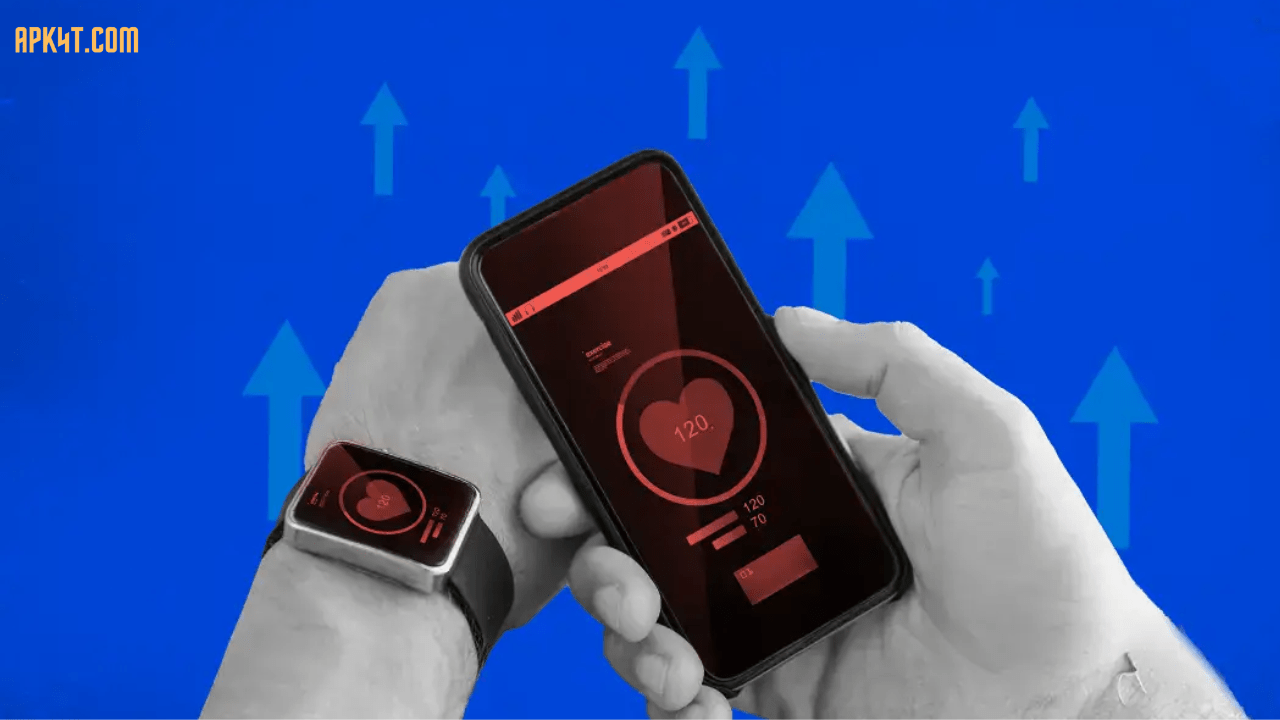
The mobile ecosystem includes your smartphone, tablet, wearable devices, and cloud services. When integrated properly, data flows smoothly between them. Your heart rate data from your watch appears in your health app. Notifications from your phone pop up on your wrist. Calendar reminders sync instantly.
The integration relies on four main components. First, Bluetooth technology connects the devices wirelessly. Second, companion apps on your phone manage the wearable and sync data. Third, cloud platforms store and analyze your information. Fourth, the operating systems (like watchOS, Wear OS, or Tizen) enable the devices to communicate.
This ecosystem has transformed how people monitor their health, stay productive, and interact with technology throughout their day.
Key Features and Benefits of Wearable-Mobile Integration
Understanding what these integrated systems do helps you choose the right devices for your needs.
Real-Time Data Synchronization
When you wear your fitness tracker, it continuously collects data—steps, heart rate, sleep patterns, stress levels. The companion app on your phone receives this data instantly through Bluetooth. You don’t need to manually transfer information anymore. Everything happens automatically in the background.
This real-time sync is especially valuable for health monitoring. Your smartwatch can detect irregular heart rates and alert you immediately. That alert reaches your phone simultaneously, creating a safety net.
Instant Notifications Without Your Phone
Your smartwatch becomes your notification hub. Messages, emails, calendar reminders, and app alerts appear directly on your wrist. The clever part? When you dismiss a notification on your watch, it also disappears from your phone—no duplicate alerts cluttering your devices.
This keeps you connected during workouts, meetings, or situations where pulling out your phone isn’t convenient. You stay informed without the distraction.
Seamless Control and Automation
Modern wearables let you control your phone and smart home devices from your wrist. Skip songs playing on your phone with a watch gesture. Adjust your home’s lighting and temperature using voice commands on your smartwatch. Send quick replies to messages using voice input.
This hands-free interaction transforms how you manage daily tasks, especially when your hands are busy or you’re on the move.
Personalized Health and Fitness Insights
The integration of wearable sensors and mobile app processing creates powerful health analytics. Your watch collects ECG data, blood oxygen levels, and sleep patterns. Your phone’s app analyzes this information, revealing trends and patterns you can’t see in raw numbers.
You get personalized workout recommendations, sleep quality analysis, and early warnings about potential health issues. This goes beyond simple step counting—it’s about understanding your body’s performance and well-being.
Battery and Power Efficiency
Wearables have limited battery life, so integration is designed around power efficiency. Your phone does the heavy computational lifting while your watch displays information glanceably. This division of labor extends battery life and improves performance.
Modern wearables now last 1-2 weeks between charges, compared to 1-2 days for smartphones. This balance makes wearables practical for all-day wear.
Cross-Device Experience
Start a task on your phone and continue it on your watch. Check the weather on your wrist while your phone stays in your pocket. Unlock your phone using your smartwatch’s proximity. This seamless handoff between devices eliminates friction.
Your smartwatch displays your location using data from your phone’s GPS. Music from your phone plays through your watch speaker. Payments processed on your watch transfer through your phone’s secure wallet.
How Wearable-Mobile Integration Works: The Technical Side
Understanding the mechanism helps you troubleshoot issues and appreciate the technology.
Bluetooth: The Connection Backbone
Bluetooth Low Energy (BLE) is the standard protocol connecting wearables and phones. It’s optimized for short-distance, low-power communication—perfect for wearables because it drains minimal battery.
When you first set up your smartwatch, you’re enabling Bluetooth pairing. Your phone and watch exchange security keys, creating a trusted connection. After pairing, the devices automatically reconnect whenever they’re near each other and both powered on.
Companion Apps: The Control Center
Every smartwatch, fitness tracker, and wearable requires a companion app on your smartphone. This app is where configuration happens. You customize notifications, set activity goals, update watch faces, and view detailed analytics.
The companion app also handles data synchronization. It receives data from your wearable, processes it, and uploads it to cloud servers for backup and analysis. Popular examples include Apple Health, Wear OS companion apps, Samsung Galaxy Wearable, and Fitbit app.
Cloud Storage and Synchronization
Your wearable data isn’t stored only on your phone. Companion apps automatically upload information to cloud servers. This provides three benefits: backup protection, cross-device access, and advanced analytics.
If your phone gets damaged, your health data remains safe in the cloud. You can access historical data on your computer. Machine learning algorithms analyze patterns across time periods.
Operating System Integration
Each wearable platform has its operating system. Apple watches run watchOS. Android wearables run Wear OS. Samsung wearables use Tizen. These operating systems are designed specifically for small screens and intermittent connectivity.
These systems prioritize quick information glances rather than intensive interactions. A notification takes one second to read. A voice command is processed instantly. The UI adapts to the small screen real estate available on wearables.
API and Third-Party App Integration
Beyond the core functions, wearable platforms offer APIs that let third-party developers build apps. Spotify connects to your smartwatch so you can control music. Strava syncs running data. Banking apps let you make payments from your wrist.
This open ecosystem drives innovation. Developers can create specialized apps for fitness coaching, meditation, navigation, and countless other uses. Your wearable becomes an extensible platform rather than a fixed device.
Comparison: Wearable Integration Across Different Platforms
Not all ecosystems are created equal. Here’s how the major platforms compare.
| Feature | Apple Watch + iPhone | Samsung Watch + Android | Fitbit + Google Fit | Garmin Watch + App |
|---|---|---|---|---|
| Setup Complexity | Very Simple | Moderate | Simple | Moderate |
| Data Sync Speed | Instant | 1-5 min | 5-15 min | 5-10 min |
| Health Metrics | ECG, BP, SpO2, Sleep | ECG, BP, SpO2, Sleep | HR, SpO2, Sleep | Multi-sport, VO2 |
| App Ecosystem | 1,000+ apps | 500+ apps | Limited | Moderate |
| Price Range | $250-$800 | $150-$400 | $100-$300 | $200-$700 |
| Cross-Device Support | Apple only | Android primary | Works broader | Independent |
| Battery Life | 1-2 days | 2-3 days | 5-7 days | 7-14 days |
| Payment Support | Apple Pay | Google Pay, Samsung Pay | Limited | No |
Apple Ecosystem: Seamless integration if you own an iPhone, iPad, and Mac. Instant notifications, perfect health metrics tracking, and extensive app support. Best for users invested in Apple products.
Samsung/Android: More flexibility in hardware choices. Works with various Android phones and tablets. Wear OS compatibility is improving. Good for users who prefer Android smartphones.
Fitbit/Google: Strong for fitness-focused users. Google’s acquisition of Fitbit drives integration improvements. Better data sharing with Google services. Privacy-conscious features.
Garmin: Specialized for athletes and outdoor enthusiasts. Superior fitness metrics and multi-sport tracking. Works independently with fewer smartphone dependencies. Longer battery life.
Pros and Cons of Wearable-Mobile Integration
Advantages
Your wearable extends your phone’s functionality to your wrist. You stay informed without constant phone checking. Health data collection becomes automatic and comprehensive. The convenience of glanceable information while your hands remain free changes how you work and exercise.
Integration reduces friction in daily tasks. Your watch controls smart home devices without pulling out your phone. Notifications appear exactly when you need them. Fitness achievements sync instantly to social apps.
Battery life balances between your watch lasting days and your phone lasting a day. Data security improves through cloud redundancy. You gain insights you couldn’t derive from isolated devices.
Disadvantages
Setup requires careful pairing and permission management. Troubleshooting connection issues can be frustrating when Bluetooth acts up. Some people feel uncomfortable with constant health data collection.
Privacy concerns arise when devices track detailed information about your location, heart rate, and daily routines. Not all watches work across ecosystems—Apple watches don’t work with Android phones. Battery drain on your phone increases slightly due to continuous Bluetooth communication.
Wearables require compatible phones and specific app support. Older phone models or less common brands may not integrate well. Some features require paid subscriptions. The initial investment in devices and apps can be expensive.
Device compatibility means upgrading one device sometimes requires updating another. Data synchronization occasionally fails, leaving you with mismatched information across devices.
Getting Started: Step-by-Step Setup Guide
Setting up wearable integration properly prevents connection headaches later.
Step 1: Check Compatibility
Verify your smartwatch works with your phone. Apple watches require iPhones running iOS 17 or later. Samsung Galaxy watches work best with Android phones. Check the manufacturer’s compatibility list before purchasing.
Step 2: Enable Bluetooth
Turn on Bluetooth on both your phone and wearable. Place devices close together—within 10 meters for optimal pairing. Clear any wireless interference from other devices.
Step 3: Download the Companion App
Visit your phone’s app store (Apple App Store for iPhone, Google Play for Android). Search for your watch brand’s official app. Download and install the latest version. Outdated versions cause connection problems.
Step 4: Launch the Pairing Process
Open the companion app on your phone. Select “Add Device” or “Pair New Watch.” The app scans for nearby devices. Your smartwatch should appear in the list.
Step 5: Confirm the Pairing
When your watch appears, tap to select it. Confirmation prompts appear on both devices. Accept the pairing on both your phone and watch. Some watches require PIN confirmation for security.
Step 6: Enable Permissions
Grant the app permission to access health data, location, notifications, and contacts. These permissions are necessary for data synchronization. Your phone’s security settings protect this information.
Step 7: Create an Account
If required, create an account with the wearable manufacturer. This enables cloud synchronization and backup. Use a strong password. Enable two-factor authentication if available.
Step 8: Configure Settings
Customize which app notifications appear on your watch. Set activity goals and fitness targets. Select your preferred watch face and complications. Enable health monitoring features appropriate for you.
Step 9: Test Synchronization
Send yourself a test notification. Check that it appears on your watch. Verify your phone and watch sync data automatically. Try voice commands if your device supports them.
Step 10: Complete the Setup
Ensure both devices remain charged. Position your watch and phone relatively close for regular sync. Keep the companion app running in the background. Your integration is now complete.
Troubleshooting Common Integration Issues
Even properly set-up integrations sometimes encounter problems. Here’s how to fix them.
Devices Not Pairing
Start simple: restart both devices completely. Turn off and on your Bluetooth on both phone and watch. Move devices closer—wireless signals have limited range.
Remove the watch from your Bluetooth settings and re-pair it as a new device. This forces a fresh connection attempt. Update both the watch firmware and companion app to latest versions. Outdated software is a common culprit.
If problems persist, “forget” the device entirely from Bluetooth settings. Clear the app cache on your phone. Restart your phone completely. Then re-pair from scratch.
Data Not Syncing
Check that both devices have sufficient battery. When either device falls below 20% battery, sync often fails. Charge both devices fully and try syncing again.
Verify the companion app is running and has background permissions enabled. Check your phone’s notification settings—if app notifications are disabled, data sync might fail. Ensure your phone has internet connectivity.
Close unused apps running in the background that might interfere. Restart the companion app completely. Wait a few moments—sometimes sync takes 1-2 minutes to complete.
Notifications Not Appearing on Watch
Go to your watch’s notification settings and ensure app notifications are enabled. Check your phone’s app notification settings—notifications must be on for both devices.
Some notifications are phone-only and won’t transfer to your watch by design. Your phone’s Do Not Disturb settings might block watch notifications. Disable it if it’s active.
Clear the notification cache on your phone. Remove and reinstall the app sending notifications. Ensure the app has permission to send notifications.
Poor Connection or Dropped Signals
Keep your watch and phone within 10 meters of each other. Walls and metal objects interfere with Bluetooth signals. Move devices away from microwave ovens and Wi-Fi routers.
Check that Bluetooth is fully enabled on both devices. A quick toggle off and back on resets the connection. If interference persists, switch to a less congested Bluetooth channel by turning off and on Bluetooth.
Battery Draining Quickly
Disable apps you don’t actively use on your watch. Background data sync is often the culprit. Some watches allow you to sync data less frequently—consider enabling this.
Turn off location services on your watch if you don’t need GPS. Reduce the brightness of your watch’s display. Disable continuous heart rate monitoring if your watch supports it.
Close unused apps completely. Restart your watch regularly. If battery drain suddenly worsens, update your watch firmware—it might include battery optimizations.
Privacy and Data Security Concerns
Review what data permissions you’ve granted to your apps. Disable location tracking if you don’t need it. Use strong passwords for your accounts. Enable two-factor authentication.
Check your cloud storage settings to see what data is being backed up. Some platforms let you disable certain data types from syncing. Review privacy policies for apps on your watch.
Forget your watch from Bluetooth before giving it to someone else or selling it. Clear all account information from the device. Factory reset the watch to remove all personal data.
Future Trends: What’s Coming for Wearable Integration
The wearable ecosystem continues evolving rapidly. Here’s what experts predict for the near future.
Standalone Wearables
Future smartwatches will require phones less often. Cellular connectivity improvements mean some watches operate independently. This gives you true freedom from your phone while maintaining connectivity.
Advanced Health Monitoring
Wearables will track metrics that currently require clinical equipment. Non-invasive glucose monitoring, blood pressure tracking without cuffs, and hydration level detection are in development. Your wristwatch becomes a personal health laboratory.
AI-Powered Personalization
Machine learning algorithms will deliver increasingly personalized insights. Your watch will predict your fitness performance, suggest workouts based on your patterns, and alert you to health changes specific to your body.
Seamless Smart Home Control
Voice commands on your wearable will control more smart home devices with fewer steps. Natural language processing will understand complex commands. Your watch becomes the primary interface for your connected home.
Augmented Reality Integration
AR glasses integrated with your ecosystem will overlay digital information on your physical world. Navigation information appears in your field of view. Fitness metrics display during workouts. This represents a shift from glancing at devices to devices integrating into your environment.
Improved Cross-Ecosystem Compatibility
Currently, Apple watches require iPhones and Samsung watches work best with Android phones. Future platforms may become more interoperable. A single smartwatch might work across multiple smartphone ecosystems.
Wearable-to-Wearable Communication
Your fitness tracker, smartwatch, earbuds, and smart ring could communicate directly. Data flows automatically between your wearables without requiring your phone as an intermediary.
Frequently Asked Questions About Wearable Integration
Q1: Do I need a smartphone to use my smartwatch?
Most smartwatches require pairing with a smartphone to set up and function fully. However, some advanced models support WiFi and cellular connectivity, allowing limited standalone use. You can still receive notifications, make payments, and track fitness without your phone nearby—but you’ll eventually need to sync with your phone for full functionality and updates.
Q2: Is my wearable data private and secure?
Wearable data security depends on your platform and manufacturer. Apple and Google encrypt data transmission between devices. Your cloud account should use strong passwords and two-factor authentication. Review what data you’re allowing to be collected and shared. You can usually adjust permissions in your privacy settings.
Q3: Can I use multiple smartwatches with one phone?
Yes, most platforms support pairing multiple watches to a single phone. You can switch between devices as needed. However, some devices work best with one primary watch at a time. Check your specific watch manufacturer’s guidelines. Each watch maintains its own sync history and settings.
Q4: How often do I need to charge my smartwatch?
Charging frequency depends on your specific device. Apple watches typically last 1-2 days. Most Android wear watches last 2-3 days. Fitness trackers can last 5-7 days or longer. Heavier usage drains batteries faster—continuous GPS tracking reduces battery life significantly.
Q5: What happens if I lose my smartwatch?
First, immediately unpair your watch from your phone in Bluetooth settings. This prevents someone else from pairing with your phone using the watch. For devices with independent accounts, sign out of your account. Remote locate features (if available) can help you find it.
If lost for good, clear all data from your account’s device settings. The companion app usually has options to remove lost devices. Your data remains safe in cloud backup—just re-pair with a new device when you’re ready.
Q6: Can my smartwatch work with my phone brand?
Smartwatches have specific compatibility. Apple watches need iPhones. Most smartwatches run either Wear OS (Android) or Tizen (Samsung). Check the manufacturer’s official compatibility list before purchasing. Some brands offer apps for multiple platforms but full integration works best within their ecosystem.
Conclusion
Wearable integration with mobile ecosystems has transformed from a luxury feature to an essential part of how people stay connected and healthy. Your smartwatch, fitness tracker, and smartphone working together create an experience neither could deliver alone.
The setup process is straightforward once you understand the basics. Pairing devices, configuring permissions, and enabling synchronization take just minutes. When working properly, the integration becomes invisible—information flows seamlessly, notifications appear exactly when needed, and your data stays secure.
The ecosystem continues evolving. Standalone wearables, advanced health monitoring, and deeper AI personalization are arriving soon. Tomorrow’s wearables will be more capable, more intuitive, and more deeply integrated into your daily life.
Whether you’re tracking fitness, monitoring health, staying productive, or controlling your smart home, the wearable-mobile ecosystem makes it all possible from your wrist. As technology advances, these integrated systems will become even more indispensable.
Ready to get started? Choose the platform that matches your smartphone, download the companion app, and follow the setup steps above. Your connected future is just a pairing away.