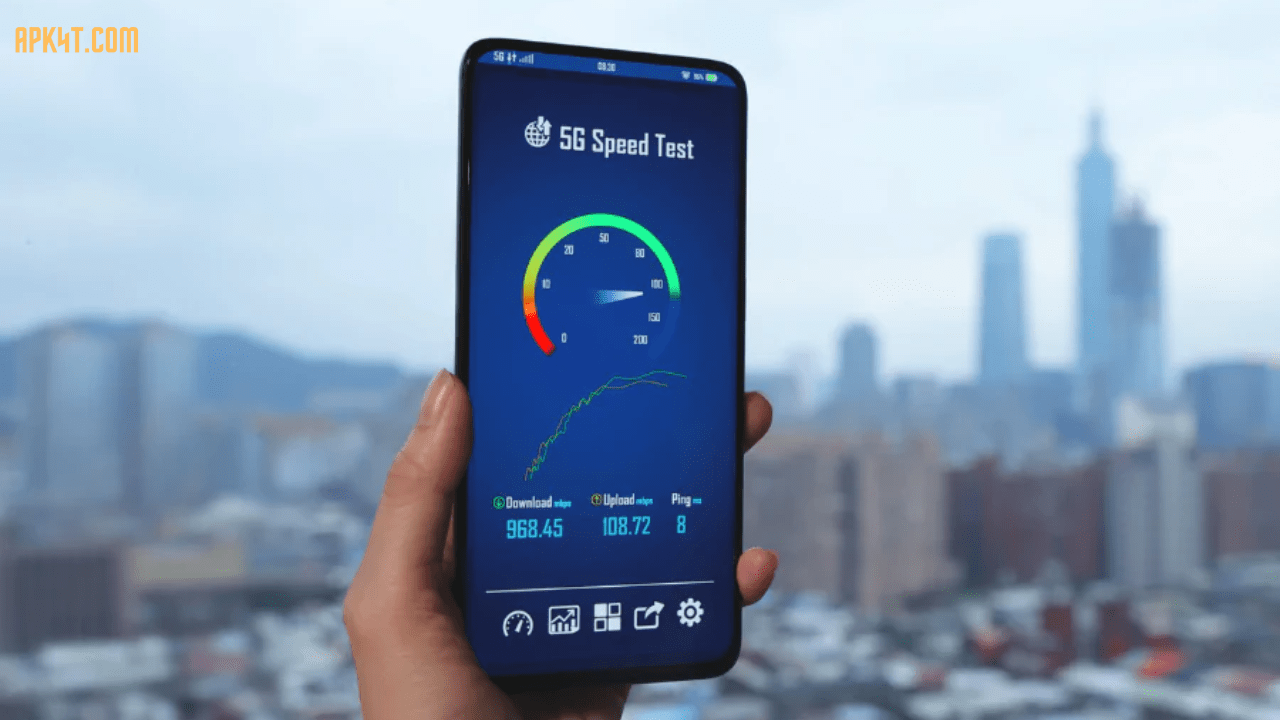

You just got a shiny new 5G phone, and you’re wondering: “Is it actually fast?” That’s where 5G speed test devices and applications come in. These tools measure how quickly your mobile connection downloads and uploads data, along with your ping time (latency). They give you concrete numbers instead of just seeing a “5G” symbol on your phone screen.
Think of it like checking your car’s speedometer instead of guessing how fast you’re going. A speed test app connects to nearby servers and sends data back and forth, recording exactly how long it takes. The results tell you if you’re getting the speeds your carrier promised.
Real-world speeds vary dramatically depending on your location, network congestion, and device type. Testing regularly helps you understand your actual experience and spot problems before they become frustrating.
Key Features & Benefits of 5G Speed Testing
Understanding Your True Performance When you run a 5G speed test, you get three main metrics. Download speed shows how quickly you can pull data from the internet (measured in Mbps). Upload speed tells you how fast you can send files or stream content. Latency (ping time) measures the delay between your device and the server—lower is always better for gaming and video calls.
Real Data for Real Decisions Many people assume they have 5G, but they’re actually on LTE. Speed tests reveal the truth. If you’re considering switching carriers or upgrading your phone, speed test data gives you proof of what each network actually delivers in your neighborhood. No more guessing games.
Tracking Network Changes Over Time Running tests at different times and locations builds a history. You might notice your speeds drop during evening rush hours or improve near certain cell towers. This pattern helps you understand when and where to expect faster connections. Some apps store this data automatically, turning casual testing into valuable intelligence about your local network.
Comparing Apps and Services Advanced speed test apps go beyond raw numbers. They test how your connection handles specific apps like Netflix, YouTube, Slack, and gaming platforms. This matters because a 300 Mbps connection means nothing if video streaming still buffers. These specialized tests show real-world performance with the apps you actually use.
Finding 5G Coverage in Your Area Most major speed test apps include interactive maps showing where 5G networks are available. You can see signal strength, compare different carriers, and plan your travel routes around good coverage zones. Travelers especially find this useful when visiting unfamiliar areas.
Top 5G Speed Test Apps & Devices: Honest Reviews
1. Speedtest by Ookla – The Industry Standard
Speedtest is the most recognized speed testing tool worldwide. It’s simple, reliable, and available on iOS, Android, Mac, and Windows. Just hit the big button, wait for results, and boom—you have your download, upload, and ping speeds.
What Makes It Stand Out: Ookla publishes quarterly reports showing which carriers have the fastest networks in different regions. T-Mobile currently leads with median 5G download speeds around 220 Mbps, while Verizon averages around 132 Mbps, and AT&T comes in at roughly 86 Mbps. The Ookla 5G Map lets you see coverage by location before you test.
Real Talk: The app is incredibly easy to use but doesn’t dig deep into why your speeds are what they are. You get numbers, not explanations. Also, the interface hasn’t changed much in years, so it feels a bit dated compared to newer competitors.
Best For: People who just want a quick, trustworthy speed check without complexity.
2. Meteor by OpenSignal – Best for App Performance Testing
OpenSignal’s Meteor is the flashy new option that looks like it belongs in a sci-fi movie. But behind the fancy interface is genuinely useful functionality, especially if you care about how your connection handles specific apps.
What Makes It Stand Out: Meteor tests how your 5G connection performs with real apps. You can test YouTube, Netflix, Slack, gaming platforms, and more simultaneously. It shows you whether your connection is fast enough for what matters to you. No more wondering if your network can handle 4K streaming while someone else video calls.
Real Talk: The app is free with no ads (rare!) and runs on iOS and Android. The app performance testing is genuinely innovative. However, it doesn’t provide as much historical data or detailed network information as some competitors.
Best For: Users who want to understand if their 5G is good enough for their specific daily activities.
3. nPerf – Speed Test 4G 5G WiFi – Most Comprehensive
nPerf is the heavyweight champion of detailed network analysis. It tests download speed, upload speed, latency, browsing performance, and video streaming quality in one comprehensive suite. The interface looks clean and professional—like NASA designed it (as one reviewer joked).
What Makes It Stand Out: Beyond basic speed metrics, nPerf tests how fast websites load and how well video streams. You get a score out of 100 for overall connection quality. The app includes an interactive map showing network coverage from all major providers in your area. There’s also a real-time speed monitor you can keep running constantly on your status bar.
Real Talk: The free version has ads, but you can pay $3 annually for ad removal (unusually cheap). The comprehensive testing takes longer than quick-check apps. Some users report the “Technology, Provider, and Network” detection still needs work, though the core speed measurements are accurate.
Best For: Network enthusiasts who want deep analysis and don’t mind spending an extra minute on testing.
4. Opensignal – 5G, 4G Speed Test – Best for Coverage Maps
Opensignal has been tracking real-world network performance for years. Their app gives you straightforward speed metrics plus detailed coverage information for competing carriers in your area.
What Makes It Stand Out: The coverage maps are exceptional. You can literally see street-level signal strength from different carriers. The app records how much time you spend on 3G, 4G, 5G, or with no signal at all. This helps identify problem areas where you consistently lose service. The cell tower compass feature shows you which direction to point your antenna boosters for maximum signal.
Real Talk: The interface is straightforward but less polished than Meteor. Some features like the cell tower compass work better in certain areas than others (accuracy varies by location). The app collects a ton of data from users, which is great for statistics but requires you to opt into location tracking.
Best For: People switching carriers who want to verify signal quality in their specific neighborhood before committing.
5. 5GMARK by Mozark – Real-Time Results and AI Analysis
5GMARK stands out because it shows test results happening in real-time instead of just displaying a final number. You watch latency, download, and upload speeds as they’re being measured, which makes the data feel more transparent.
What Makes It Stand Out: The app includes YouTube streaming tests, website loading tests, and general web performance evaluation—all happening live on your screen. You can benchmark against other users in your country or area using the same phone. The Mozark platform uses AI to understand network quality trends.
Real Talk: It’s slightly more complex than basic speed test apps, requiring you to select your location before testing. Some users reported slight delays in network detection, particularly with 5G identification. However, the real-time visualization of test results is genuinely cool and helps you understand what’s happening during your test.
Best For: Users interested in seeing exactly how their network performs during testing and comparing themselves to others in their area.
Performance Comparison: What Real 5G Speeds Look Like
| Carrier | Typical 5G Download Speed | Peak Speeds Observed | Coverage % | Best For |
|---|---|---|---|---|
| T-Mobile | 220 Mbps average | 238+ Mbps | 53% of US | Consistent speeds nationwide |
| Verizon | 132 Mbps average | 847+ Mbps* (UWB only) | 29% of US | Peak performance in cities |
| AT&T | 86 Mbps average | 956+ Mbps (limited areas) | 22% of US | Growing coverage |
*Verizon’s ultra-wideband (UWB) 5G delivers insanely fast speeds but only in about 71 cities and requires line-of-sight to the antenna.
What These Numbers Actually Mean
A 220 Mbps download speed downloads a full HD movie in under 10 seconds. For comparison, 4G typically manages 30-50 Mbps. But—and this matters—real-world conditions are messier than test results.
During busy times (evenings, weekends), speeds often drop 20-40% from what you see in isolated speed tests. If you’re testing at 3 AM in an empty parking lot versus testing during a football game in a stadium, the results will be dramatically different. Test at realistic times in realistic places where you actually use your phone.
Pros & Cons of Popular Speed Testing Approaches
Free Speed Test Apps
Pros:
- Zero cost to download and use basic features
- Available immediately on your phone
- Require minimal phone storage
- Good for occasional checking
Cons:
- Often show ads that interrupt testing
- May collect location data for network mapping
- Limited historical tracking
- Basic metrics without app-specific testing
Premium Speed Test Services
Pros:
- Ad-free experience makes testing faster
- Unlimited test history stored in the cloud
- Advanced features like detailed analytics
- Better customer support included
Cons:
- Typical costs range $2-5 annually
- Need subscriptions to access premium maps
- Overkill if you test rarely
Online Speed Tests (Websites)
Pros:
- Works on any device with a browser
- No app installation needed
- Great for quick desktop testing
Cons:
- Less accurate for mobile 5G testing
- Can’t track location data as reliably
- Mobile browser versions are clunky
- Not ideal for testing while moving
How to Test Your 5G Speed: User Tips for Accurate Results
1. Close Background Apps First Before testing, close every app that uses the internet. Netflix, social media, email apps—close them all. They consume bandwidth and skew your results lower than they should be. Give your phone 5G capacity to shine.
2. Test Multiple Times and Locations One test means nothing. Test at your home, work, favorite coffee shop, and while driving around. Test at different times: morning commute, lunch hours, evening rush, late night. Speed varies throughout the day. After 5-10 tests across locations and times, you’ll have real data instead of a random sample.
3. Position Yourself Properly If you have Verizon’s ultra-wideband 5G, you need direct sight-line to the antenna. Go outdoors if possible. Stand in windows. Test at different heights (ground level versus second floor). Small positioning changes can drop your speeds by 50% if you’re on the edge of signal range.
4. Use Ethernet on Desktop Tests If you’re testing home internet, connect your computer directly to your router with an Ethernet cable. WiFi adds variables that make mobile comparison difficult. Make sure your Ethernet cable is CAT6 or better—old cables bottleneck modern speeds.
5. Check Your Device Settings Verify your phone is actually connected to 5G, not 4G LTE. Some phones show “5G” when they’re still on LTE due to carrier modifications (looking at you, AT&T’s old “5G E” branding). Check your phone’s detailed network settings to confirm you’re truly on 5G.
6. Consider Time-of-Day Variations Mid-morning tests often show the fastest speeds because network congestion is lowest. Evening tests during peak usage times reveal realistic daily performance. If you stream video at 8 PM, test at 8 PM to understand your actual experience.
7. Move Away from Physical Barriers 5G signals, especially millimeter-wave frequencies, don’t penetrate building materials well. Metal, concrete, and even rain can reduce speeds. Testing inside might show 50 Mbps, but stepping outside reveals 250 Mbps. Your actual usage location matters—test where you actually need the connection.
Advanced Features: What to Look For
Multi-Connection Testing Advanced apps like nPerf test multiple simultaneous connections to max out your available bandwidth. This reveals true capacity, not just single-connection performance.
Video Streaming Quality Tests These test actual YouTube and Netflix performance, not just theoretical speed. A 300 Mbps connection that buffers video is useless.
Jitter and Latency Analysis Beyond just ping time, better apps measure jitter (how consistent your latency is). Variable latency ruins gaming and video calls even if average speed looks good.
Network Frequency Identification Premium tools show which 5G frequency band you’re connected to. Mid-band 5G (2.5-3.7 GHz) gives good coverage and decent speed. Ultra-wideband (mmWave) delivers crazy speeds but limited range.
Frequently Asked Questions
Q: Why is my 5G speed test slower than advertised?
A: Carriers advertise “up to” speeds under ideal conditions. Real-world conditions include other users, distance from towers, weather, and obstacles. Getting 60% of advertised speeds is actually normal. If you’re getting less than 30% consistently, contact your carrier.
Q: Can I use any speed test app, or do results differ?
A: Results vary slightly between apps because they use different servers and testing methods. Ookla (Speedtest), OpenSignal, and nPerf are all reputable and comparable. Pick one and stick with it so you can track your changes over time rather than comparing across apps.
Q: Is my phone’s location important when testing 5G?
A: Absolutely. Testing indoors versus outdoors, near windows versus in the building center, and distance from cell towers dramatically affect results. For meaningful comparisons, test in the same location.
Q: What’s the difference between 5G and 5G+/5G Ultra Wideband?
A: Basic 5G uses low-band spectrum (coverage-focused, 100-200 Mbps). Mid-band 5G delivers better balance (2.5-3.7 GHz, 200-400 Mbps). Ultra-Wideband/mmWave 5G offers insanely fast speeds (800+ Mbps) but only in limited areas with clear line-of-sight.
Q: How often should I test my 5G speed?
A: Monthly tests track overall trends. Test more frequently if you’re comparing carriers or troubleshooting slow speeds. One-time tests are basically useless—you need multiple data points to see patterns.
Q: Why do upload speeds matter for everyday use?
A: Upload speeds matter for video calls, uploading photos, cloud backups, and content creation. Typical usage needs 5-10 Mbps upload. Anything above 10 Mbps is solid for most people.
Q: Can I get gigabit 5G speeds everywhere?
A: No. Theoretical 5G maxes out at 10 Gbps under perfect lab conditions. Real-world performance varies wildly. Most people see 100-250 Mbps typical 5G. Only ultra-wideband in major cities occasionally approaches gigabit speeds.
Q: Does testing use a lot of data?
A: Each test uses 50-100 MB typically. nPerf is optimized to use less—sometimes 2x less than competitors. If you’re data-limited, test on WiFi or test less frequently.
Final Thoughts: Making Sense of Your 5G Speed Test Results
5G is genuinely faster than 4G—usually 5-10 times faster in good conditions. But like anything in tech, real-world performance differs from marketing claims. Speed testing removes the guesswork and gives you actual numbers you can trust.
The best 5G speed test app is the one you’ll actually use consistently. Speedtest by Ookla is solid and reliable. Meteor if you care about app performance. nPerf if you want deep analysis. Opensignal if you’re choosing between carriers. Pick one, run tests over a week or two in various locations, and you’ll understand your actual 5G experience better than most people.
Remember: a number on a screen means nothing if your connection doesn’t feel smooth in daily life. Use speed tests as a diagnostic tool, not as gospel truth. If you see great speeds but experience lags or buffering, something else is going on (WiFi congestion, device issues, etc.) that speed alone won’t reveal.
Ready to test? Download one of these apps, run a test, and see what your 5G is actually delivering. You might be pleasantly surprised—or you might finally understand why video keeps stuttering. Either way, you’ll have real data instead of guesses.